How to give read-only access to your AMEX account
We request account access to securely gather statements from AMEX. Rather than sharing your login, you can set us up with our own access using the instructions below.
Login to Amex and click the blue “Menu” button on the top left of your screen
From that dropdown, select “Account Services”

Next, you’ll select “Manage Other Members” and then “Manage Account Managers”


From this screen, you’ll be able to “Add Account Manager” to each business account.
Provide access to our accounting@liebertassociates.com account
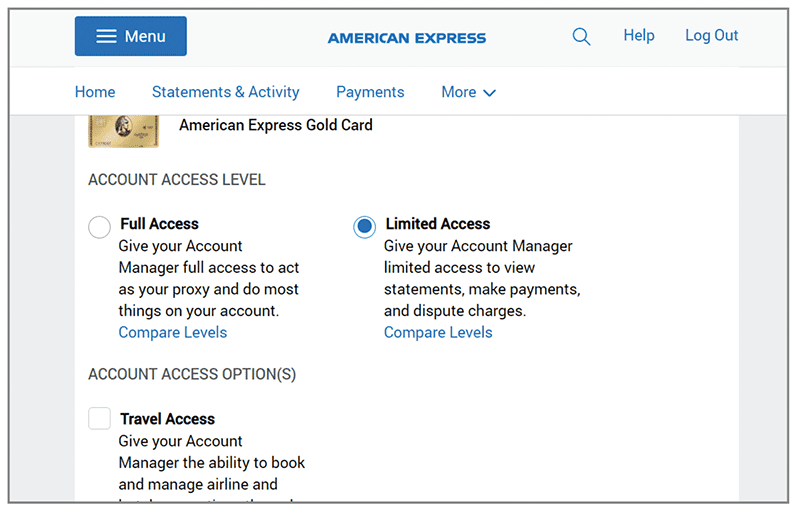
For the level of access, choose “Limited Access” (so we can pull down statements)